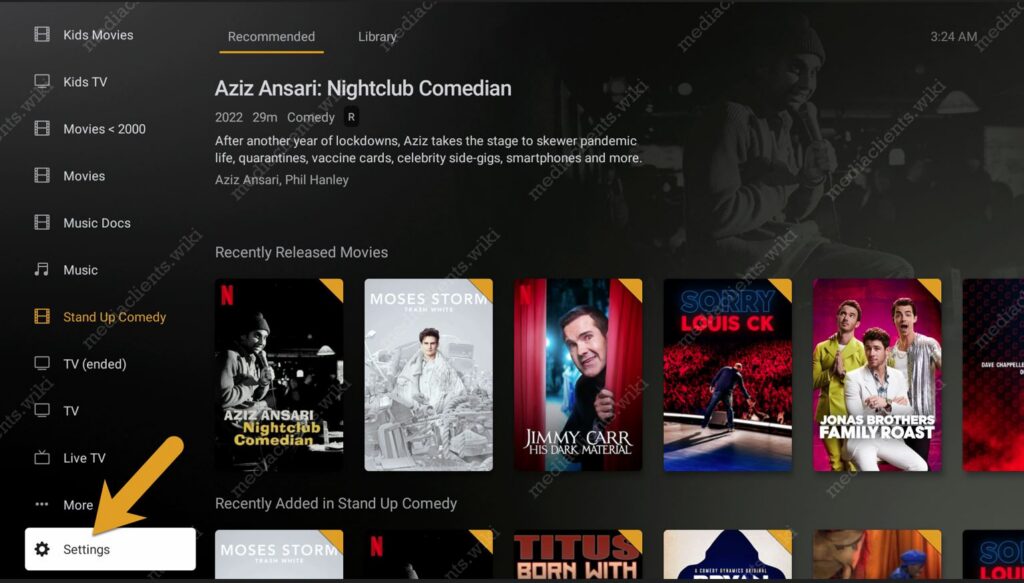
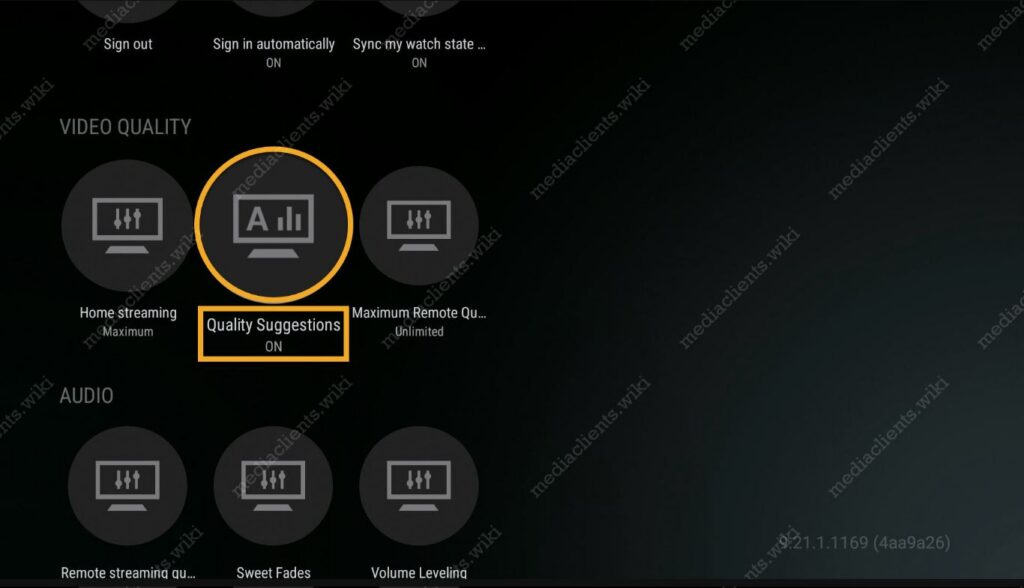
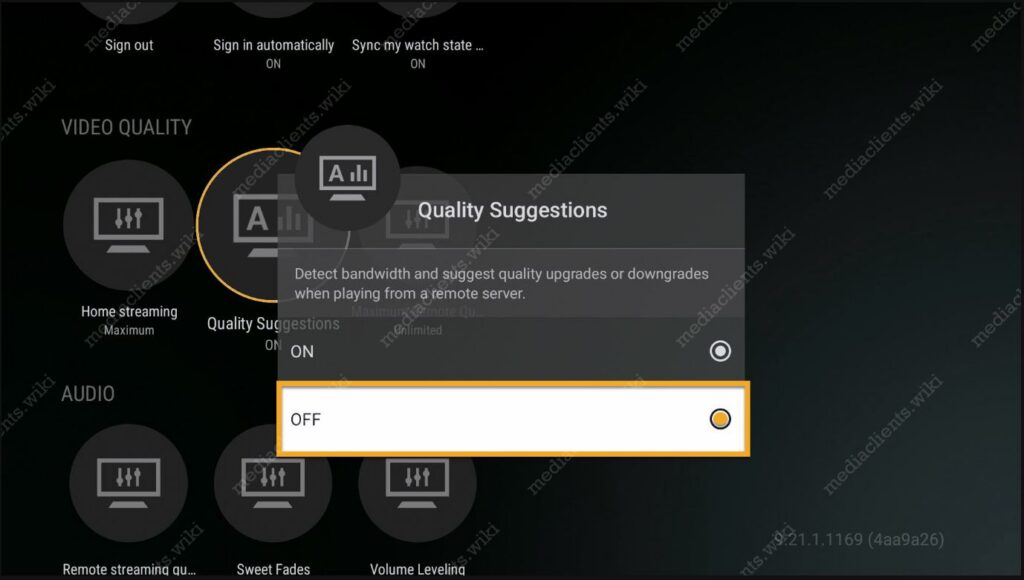
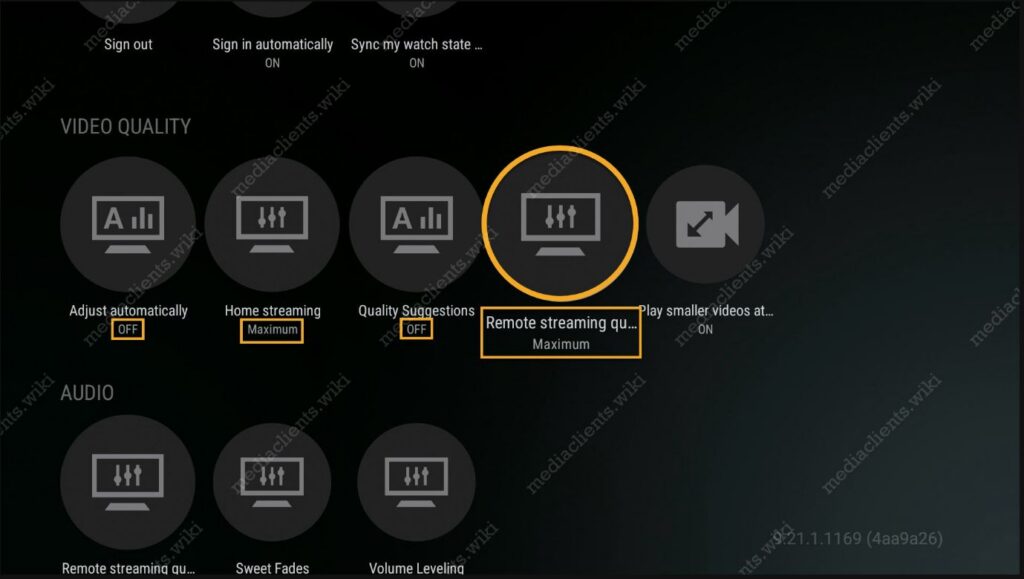
Plex Video Quality To change the **Plex video quality settings** on your device, simply find the **”Settings”** menu option. This menu is located at the **bottom of the home screen** in the Plex application. Plex Video Quality Suggestions Head down to the **Video Quality** section and first you’ll want to select the **Quality Suggestions** option and toggle it **OFF**. Plex Video Quality Settings **Adjust automatically** > OFF **Home streaming** > Maximum **Quality Suggestions** > OFF **Remote streaming** > Maximum https://www-ccv.adobe.io/v1/player/ccv/HXJRnSSMouL/embed?bgcolor=%23191919&lazyLoading=true&api_key=BehancePro2View